
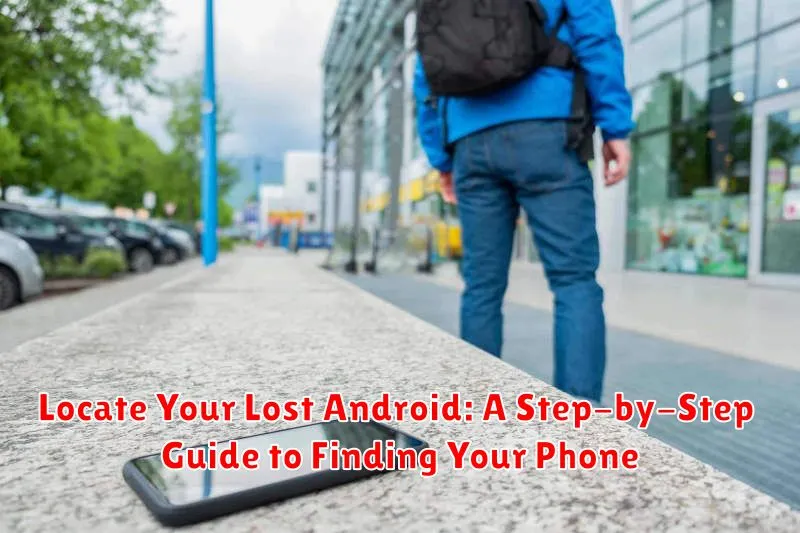
Losing your Android phone can be a stressful experience. From the panic of realizing it’s missing to the worry about personal data, the need to locate your lost Android quickly is paramount. This comprehensive step-by-step guide provides effective methods to find your lost phone, covering various scenarios and leveraging built-in Android features as well as third-party solutions. Whether your phone is simply misplaced nearby or potentially stolen, this guide will equip you with the knowledge and tools to track your phone and increase your chances of recovery.
This article covers everything from using Find My Device to exploring alternative tracking apps and methods. We will guide you through the process of locating your lost Android device, securing your data, and taking appropriate action. Learn how to locate your Android phone even when it’s turned off or the battery is dead. This guide aims to provide you with the peace of mind and practical steps needed to find your lost phone efficiently and effectively.
Preparing Your Phone for the Unexpected: Pre-Loss Setup
Losing your phone can be a stressful experience. Taking a few preventative steps can significantly increase your chances of recovering it. The most crucial step is enabling the “Find My Device” feature.
To do this, go to your phone’s settings, typically by pulling down the notification shade and tapping the gear icon. Locate the “Security” or “Lock screen and security” section, and within that menu, you’ll find “Find My Device.” Ensure this option is toggled on. This allows Google to track your phone’s location remotely.
Keeping your location services active is also essential. This allows “Find My Device” to pinpoint your phone’s whereabouts accurately. Navigate to the “Location” settings within your phone’s settings menu and confirm it is switched on.
Finally, consider adding contact information to your lock screen. This could include a secondary email address or the phone number of a trusted friend or family member. Should someone find your lost phone, this allows them to easily contact you.
Using Google’s Find My Device Feature
Google’s Find My Device is a powerful tool for locating your lost Android phone. It’s typically enabled by default, but it’s crucial to verify this before you need it.
To utilize Find My Device, follow these steps:
- On any internet-connected device, open a web browser and navigate to google.com/android/find. Alternatively, you can search “find my device” on Google.
- Sign in to the Google account associated with your lost phone.
- Find My Device will present you with a map showing your phone’s approximate location.
- From here, you have several options:
- Play a Sound: This triggers a loud ringtone, even if your phone is on silent, helping you find it if it’s nearby.
- Secure Device: Locks your phone with a password and displays a message on the screen, allowing you to provide contact information for anyone who finds it.
- Erase Device: This is a last resort and permanently deletes all data on your phone. Use this cautiously, as it renders Find My Device unusable afterwards.
The accuracy of Find My Device depends on your phone having an active internet connection and location services enabled.
Exploring Alternative Phone Tracking Apps
While Google’s Find My Device is a robust solution, exploring alternative tracking apps can provide additional features or cater to specific needs. These apps often offer enhanced functionalities such as geofencing, remote data wiping, or even capturing images of the person using your device.
Cerberus Anti-theft is a popular choice, known for its comprehensive features and robust security measures. It allows for remote locking and wiping, location tracking, and even SIM card checking.
Prey Anti Theft is another viable option, offering a free tier for tracking up to three devices. It provides location history, remote locking and alarming, and the ability to take pictures using the device’s camera.
Where’s My Droid offers both free and paid versions, with the paid version offering more advanced features like geofencing and remote camera activation. The free version still provides basic tracking and remote alarming capabilities.
When choosing an alternative tracking app, consider factors such as pricing, features offered, and user reviews to determine the best fit for your requirements.
Tips for Locating a Phone Without Tracking Apps
Losing your phone without pre-installed tracking apps can be daunting, but not hopeless. Here are a few methods to try:
Retracing Your Steps
Think back to where you last remember having your phone. Thoroughly check those locations. Look under furniture, in bags, and between cushions.
Utilizing Call and Text
Have a friend or family member call your phone. Listen for the ringtone. If your phone is on vibrate, place it on a hard surface to amplify the vibration. Sending a text message can sometimes trigger a notification sound, even on silent mode.
Checking Common Areas
Phones are often misplaced in common areas. Check places like the restroom, kitchen, or car. If you frequent a specific business, inquire if anyone has turned in a lost phone.
Remembering Bluetooth Connections
If your phone frequently connects to a car stereo or other Bluetooth device, check if it automatically connects when in proximity. This could help pinpoint your phone’s location.
What to Do After Finding Your Lost Phone
Locating your lost Android device is a relief, but the process doesn’t end there. Taking a few post-recovery steps can enhance your phone’s security and prepare you for potential future loss. Here’s what you should do after successfully finding your phone:
Security Check
Change your lock screen PIN/pattern/password immediately. It’s crucial to do this even if you don’t suspect unauthorized access. It’s better to be safe than sorry. Also, review your recent app activity for anything suspicious.
Preventative Measures
Double-check that Find My Device is still enabled and accurately configured. This will be crucial should your phone go missing again. Consider exploring and activating other security features offered by your phone’s manufacturer or operating system.
Physical Inspection
Carefully inspect your phone for any physical damage that may have occurred while it was lost. This could include cracks, scratches, or water damage. If necessary, contact your service provider or a repair shop for assistance.
Protecting Your Data in Case of Loss or Theft

Losing your phone can be distressing, but taking the right steps can protect your data from falling into the wrong hands. Screen lock is your first line of defense. Ensure it’s enabled with a strong PIN, password, or pattern. Biometric authentication (fingerprint or facial recognition) adds an extra layer of security.
Remotely lock your device using Find My Device or similar services. This prevents unauthorized access and allows you to display a message with contact information. If you believe your phone is stolen and recovery is unlikely, consider remotely wiping your data. This action erases all information from your phone, protecting your privacy, but renders it untraceable. Back up your data regularly to ensure that even if your phone is lost or stolen, your valuable information is recoverable.
Encrypt your device for additional protection. This renders the data unreadable without the decryption key, typically your screen lock. Be mindful of the information stored on your phone and limit sensitive data. Regularly review and revoke app permissions to manage access to your information.
Preventative Measures to Avoid Future Phone Loss
Losing a phone can be a frustrating experience. Taking proactive steps can significantly reduce the risk of future loss. Here are some key strategies:
Enhance Phone Visibility
Make your phone easier to spot. Use a bright, distinctive phone case. Consider adding a phone charm or sticker to make it stand out.
Designated Phone Spots
Establish specific locations for your phone at home, work, and in your car. This creates a mental habit of placing your phone in the same spot, making it easier to remember its location.
Utilize Pockets and Bags Wisely
If using pockets, ensure they are deep and secure. If carrying your phone in a bag, designate a specific compartment for it. Double-check before moving from one place to another.
Regularly Check Surroundings
Before leaving any location, take a moment to scan your surroundings and ensure you have your phone.
